
Unity - A计划(永久有效期)
![]() 扫二维码继续学习 二维码时效为半小时

项目发布出现错误
6
回复 808
浏览
回复 808
浏览
项目在发布的时候出现错误:CommandInvokationFailure: Failed to re-package resources.
具体报错信息是:
CommandInvokationFailure: Failed to re-package resources.
C:\Program Files\Android\android-sdk-windows\build-tools\23.0.3\aapt.exe package --auto-add-overlay -v -f -m -J "gen" -M "AndroidManifest.xml" -S "res" -I "C:/Program Files/Android/android-sdk-windows\platforms\android-23\android.jar" -F bin/resources.ap_
stderr[
AndroidManifest.xml:6: error: Error: No resource found that matches the given name (at 'banner' with value '@drawable/app_banner').
]
stdout[
Configurations:
(default)
v14
v21
ldpi-v4
mdpi-v4
hdpi-v4
xhdpi-v4
xxhdpi-v4
xxxhdpi-v4
Files:
drawable\app_icon.png
Src: (ldpi-v4) res\drawable-ldpi\app_icon.png
Src: (mdpi-v4) res\drawable-mdpi\app_icon.png
Src: (hdpi-v4) res\drawable-hdpi\app_icon.png
Src: (xhdpi-v4) res\drawable-xhdpi\app_icon.png
Src: (xxhdpi-v4) res\drawable-xxhdpi\app_icon.png
Src: (xxxhdpi-v4) res\drawable-xxxhdpi\app_icon.png
values\strings.xml
Src: () res\values\strings.xml
values\styles.xml
Src: () res\values\styles.xml
Src: (v14) res\values-v14\styles.xml
Src: (v21) res\values-v21\styles.xml
AndroidManifest.xml
Src: () AndroidManifest.xml
Resource Dirs:
Type drawable
drawable\app_icon.png
Src: (ldpi-v4) res\drawable-ldpi\app_icon.png
Src: (mdpi-v4) res\drawable-mdpi\app_icon.png
Src: (hdpi-v4) res\drawable-hdpi\app_icon.png
Src: (xhdpi-v4) res\drawable-xhdpi\app_icon.png
Src: (xxhdpi-v4) res\drawable-xxhdpi\app_icon.png
Src: (xxxhdpi-v4) res\drawable-xxxhdpi\app_icon.png
Type values
values\strings.xml
Src: () res\values\strings.xml
values\styles.xml
Src: () res\values\styles.xml
Src: (v14) res\values-v14\styles.xml
Src: (v21) res\values-v21\styles.xml
Including resources from package: C:\Program Files\Android\android-sdk-windows\platforms\android-23\android.jar
applyFileOverlay for drawable
applyFileOverlay for layout
applyFileOverlay for anim
applyFileOverlay for animator
applyFileOverlay for interpolator
applyFileOverlay for transition
applyFileOverlay for xml
applyFileOverlay for raw
applyFileOverlay for color
applyFileOverlay for menu
applyFileOverlay for mipmap
Processing image: res\drawable-ldpi\app_icon.png
Processing image: res\drawable-mdpi\app_icon.png
Processing image: res\drawable-hdpi\app_icon.png
Processing image: res\drawable-xhdpi\app_icon.png
(processed image res\drawable-ldpi\app_icon.png: 104% size of source)
Processing image: res\drawable-xxhdpi\app_icon.png
(processed image res\drawable-mdpi\app_icon.png: 92% size of source)
Processing image: res\drawable-xxxhdpi\app_icon.png
(processed image res\drawable-hdpi\app_icon.png: 89% size of source)
(processed image res\drawable-xhdpi\app_icon.png: 89% size of source)
(processed image res\drawable-xxhdpi\app_icon.png: 92% size of source)
(processed image res\drawable-xxxhdpi\app_icon.png: 96% size of source)
(new resource id app_icon from ldpi-v4\drawable\app_icon.png #generated)
(new resource id app_icon from mdpi-v4\drawable\app_icon.png #generated)
(new resource id app_icon from hdpi-v4\drawable\app_icon.png #generated)
(new resource id app_icon from xhdpi-v4\drawable\app_icon.png #generated)
(new resource id app_icon from xxhdpi-v4\drawable\app_icon.png #generated)
(new resource id app_icon from xxxhdpi-v4\drawable\app_icon.png #generated)
]
exit code: 1
UnityEditor.Android.Command.Run (System.Diagnostics.ProcessStartInfo psi, UnityEditor.Android.WaitingForProcessToExit waitingForProcessToExit, System.String errorMsg)
UnityEditor.Android.PostProcessor.Tasks.TasksCommon.Exec (System.String command, System.String args, System.String workingdir, System.String errorMsg, Int32 retriesOnFailure)
UnityEditor.HostView:OnGUI()
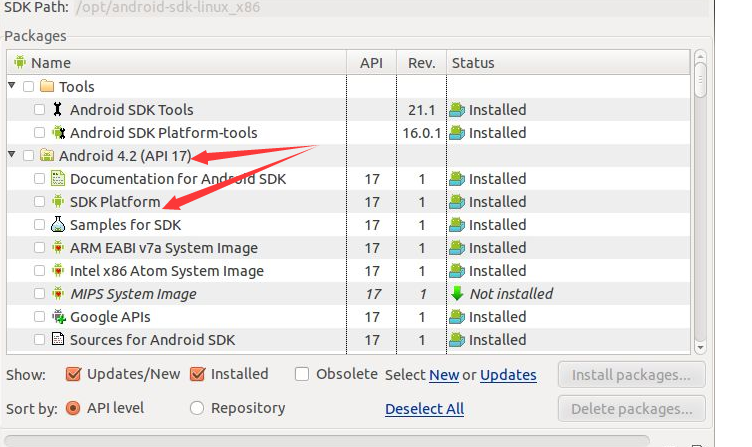
网上给出的解决条件是删除报错的Android平台,但是我删除后还是存在错误,26.0.0删除了就报错25.0.3,25.0.3删除了就报错25.0.2这样下去。
所有回复
-
我在Plugins/Android中放了assets文件夹、libs文件夹、和AndroidMianfest文件就会出现上述错误,删除这三个东西就能正常发布了。
(0) 回复 (0) -

-
-
-
-